

Available
Windows
The full playtest client for Windows 10 and 11 (64-bit). It keeps itself up to date.
- ZIP download, about 400 MB
- In-game updater, verified and resumable
- Mouse and keyboard
Free playtest
One account, one kingdom: your progress lives on the game server, so you can sign in from Windows or Android and pick up where you left off.
The full playtest client for Windows 10 and 11 (64-bit). It keeps itself up to date.
Installed directly as an APK, not from Google Play. Your playtest host shares the download link.
There is no build for this device yet. The playtest runs on Windows and Android.
The playtest is invite-only and runs on a private server. Email support@kingsbydawn.com for an invite with the server address. No iOS or macOS builds yet.
Windows
Save the ZIP and choose Extract all. Keep KingsByDawn.pck next to KingsByDawn.exe — the game needs both.
Run KingsByDawn.exe. If Windows SmartScreen warns about an unrecognized app, choose More info → Run anyway.
On the first screen, type the server address from your playtest invite and choose Check for updates. Install any update, choose Play Game, then create an account with your email, a 10–128 character password and a ruler name of 2–24 characters.
Always current. Each launch checks the server: Play Game when you’re up to date, Update when a release is waiting. Downloads are verified with SHA-256, can pause and resume, and roll back automatically if anything fails.
170695263f29477cd2fb61e0d6835791b29656b5108a0bbe5c4bfc173caba536 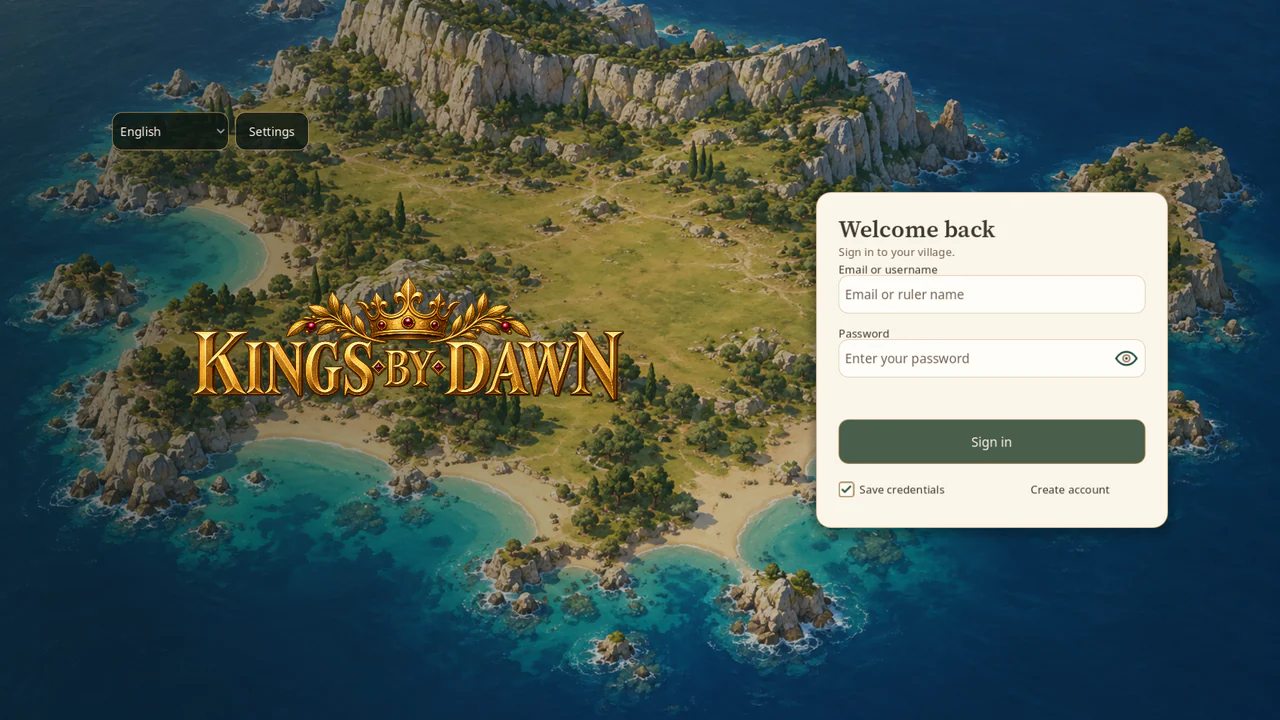
Android
The Android playtest build is the same game with a touch-first layout. It installs directly as an APK rather than through Google Play.
Testers receive the download link for the current Android build with their invite — email support@kingsbydawn.com to ask for one.
When Android asks, allow your browser or file manager to install apps from this source, then open the APK.
After the first install, the game downloads new versions itself and asks Android to approve each update.
System requirements
| Requirement | Windows | Android |
|---|---|---|
| System | Windows 10 or 11, 64-bit | Android phone or tablet |
| Graphics | OpenGL 3.3 support | OpenGL ES 3.0 support |
| Download | about 400 MB (about 1 GB free space to extract) | about 520 MB |
| Updates | In-game, verified and resumable | In-game, approved by Android |
| Languages | English · 简体中文 · Русский · Ελληνικά · Српски | |
| Connection | Always online — the server runs your city, even while you’re away | |
The playtest is free to download and play. Gems — the premium currency — can’t be bought with real money in the current build; you earn them from daily, weekly and monthly activity rewards and Kraken podium finishes.
On the game server, under your account. Construction, production, training and research keep running while you’re offline, and your city is the same on every device.
Yes, one at a time. Signing in on a new device signs out the previous one, with a message saying you logged in from another location.
The playtest runs on a private server rather than a public launch. Invites include the address — email support@kingsbydawn.com to request one. The game remembers it after the first time.
Not yet. The playtest supports Windows and Android, and a browser edition is being prototyped.
Password recovery isn’t available in the playtest yet, so keep your password somewhere safe. The optional “Save credentials” setting can remember it securely on Windows and Android.
The current playtest build doesn’t have an in-game delete option yet. Email privacy@kingsbydawn.com from the address on your account and include your ruler name — the account deletion page has the details, and the privacy policy explains what is stored.